

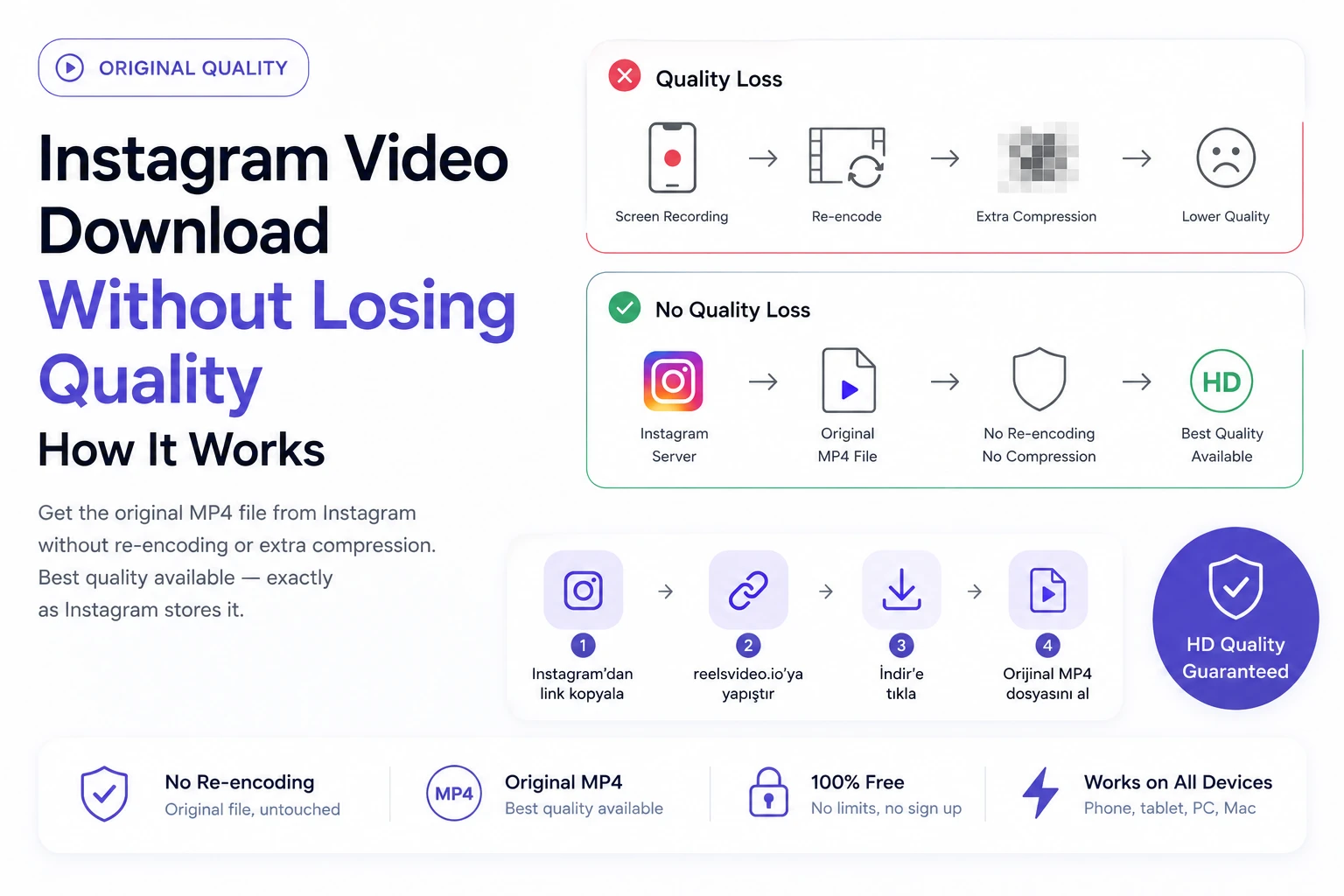
Quality loss when downloading Instagram videos usually comes from one of two sources: screen recording, or a downloader that re-encodes the video before delivering it. Both add compression on top of what Instagram already applied when the video was uploaded. The solution is a downloader that retrieves the original file from Instagram’s servers without touching it — no re-encoding, no extra compression. Here’s how to download videos from Instagram and keep the best quality available.
Where Quality Loss Actually Comes From
Understanding the sources of quality loss makes the fix obvious:
| What causes quality loss | How to avoid it |
| Screen recording | Captures a compressed stream at screen resolution — adds another layer of compression on top of Instagram’s own |
| Downloaders that re-encode | Some tools process the video on their servers before delivery — adds a second compression pass |
| Downloading on slow connection | Interrupted downloads can result in corrupted or incomplete files — re-download if quality looks wrong |
| Wrong downloader output format | Some tools convert to lower-quality formats like GIF or WebM — ensure you’re getting MP4 |
How to Download Without Quality Loss — Step by Step
Open reelsvideo.io in any browser. Free, no sign-up.
- Open Instagram and find the video you want to download.
- Tap the three dots (••• on iPhone, ⋮ on Android) on the post.
- Select Copy link.
- Go to reelsvideo.io in your browser.
- Paste the link and tap Download.
- The original MP4 file delivers to your device — exactly what Instagram stores, no re-encoding applied.
On Android
Chrome downloads the MP4 file directly to your Downloads folder. The file appears in Gallery automatically. If quality looks unexpectedly low, check the file resolution in your file manager — it should match what the creator uploaded (typically 720p or 1080p).
On iPhone
Safari may play the video instead of saving it. Fix: tap and hold the video in the browser, choose Download Linked File. The file appears in Files → Downloads. Move to Photos via Share → Save Video.
On PC or Mac
Copy the link, paste into reelsvideo.io, click Download. If the video opens in the browser, right-click → Save video as. Check the file properties after downloading — resolution and file size should reflect original quality.
How to Check If Your Downloaded Video Has Full Quality
Two quick checks after downloading:
File size: a 30-second Reel in HD should be roughly 10–25 MB. If it’s 1–2 MB, the file was heavily compressed.
Resolution: right-click the file on PC → Properties → Details tab. On Android, tap the file in your file manager to see resolution. For a 1080p Reel, you should see 1080 × 1920 pixels.
The Quality Ceiling: What Instagram Actually Stores
Even a perfect downloader can only deliver what Instagram stores — which is already compressed from the creator’s original. Instagram applies H.264 or H.265 encoding at platform-determined bitrates when content is uploaded. The result is typically HD 720p or Full HD 1080p. Claims of 4K or 8K downloads from Instagram are false — the platform doesn’t store content above 1080p.
What you get with a good downloader is the best version Instagram has — one generation of compression, not two or three.
Frequently Asked Questions
Why does the downloaded video look softer than in the app?
Instagram’s in-app player applies real-time sharpening and color enhancement. The raw MP4 file doesn’t include this processing — it’s applied by the player, not baked into the file. A slightly softer look in your device’s default player is normal and doesn’t indicate quality loss.
Will the creator know I downloaded their video?
No. Instagram doesn’t notify creators about downloads made through external tools.
Is there a download limit?
No limits. Download as many videos as you need, completely free.
One Compression Pass, Not Two
The key is avoiding a second round of compression. Copy the link, go to reelsvideo.io, paste and download — the file arrives as Instagram stored it, with no additional processing. The right tool for anyone who wants to instagram video download without the quality hit that screen recording or re-encoding tools add.

