

The default assumption when you search for a way to download Threads videos is that you’ll need to install something. An app, a browser extension, some kind of software. That assumption is wrong — and understanding why changes how you think about the whole process.
Browser-based Threads video download is not a compromise or a fallback for people who don’t want to install an app. It’s genuinely the better option for most people most of the time. Here’s why.
Why “No Install” Is a Feature, Not a Limitation
Every app you install on your phone takes up storage, requests permissions, runs background processes, and eventually needs updates. For something you’ll use occasionally, this overhead isn’t worth it.
A browser-based tool runs in a tab. When you close the tab, nothing remains on your device. No storage used by the tool. No permissions granted. No background activity. No update notifications. The next time you need it, you open a browser and go to the same URL.
This is particularly relevant on iPhone, where most dedicated Threads downloader apps don’t exist on the App Store at all — Apple’s guidelines make them difficult to publish. Browser-based tools have no such restriction.
Why “No Account” Matters More Than It Sounds
Requiring an account to download a public video is a data collection mechanism, not a technical necessity. There’s no reason a tool needs to know who you are to fetch a file from Meta’s servers. If a downloader asks you to sign up, it’s collecting your email and usage data as the implicit cost of the service.
Tools that work without any account have no incentive to collect that data — because they’re not building a user database to monetize. The tradeoff is straightforward: no account means no data collected, no marketing emails, no account to manage.
How Online Threads Video Download Works
The process is simple at the user level — paste a link, tap download — and the mechanics underneath explain why it’s reliable:
Your post URL points to a specific Threads post on Meta’s servers. The downloader uses that URL to retrieve metadata about the post, including the location of the video file on Meta’s content delivery network. That CDN URL is then presented to your browser as a direct download link. Your browser fetches the file from Meta’s CDN.
The video file itself doesn’t pass through the downloader’s infrastructure in well-built browser-based tools — your browser downloads it directly from Meta. That’s why quality is preserved and why the process is fast.
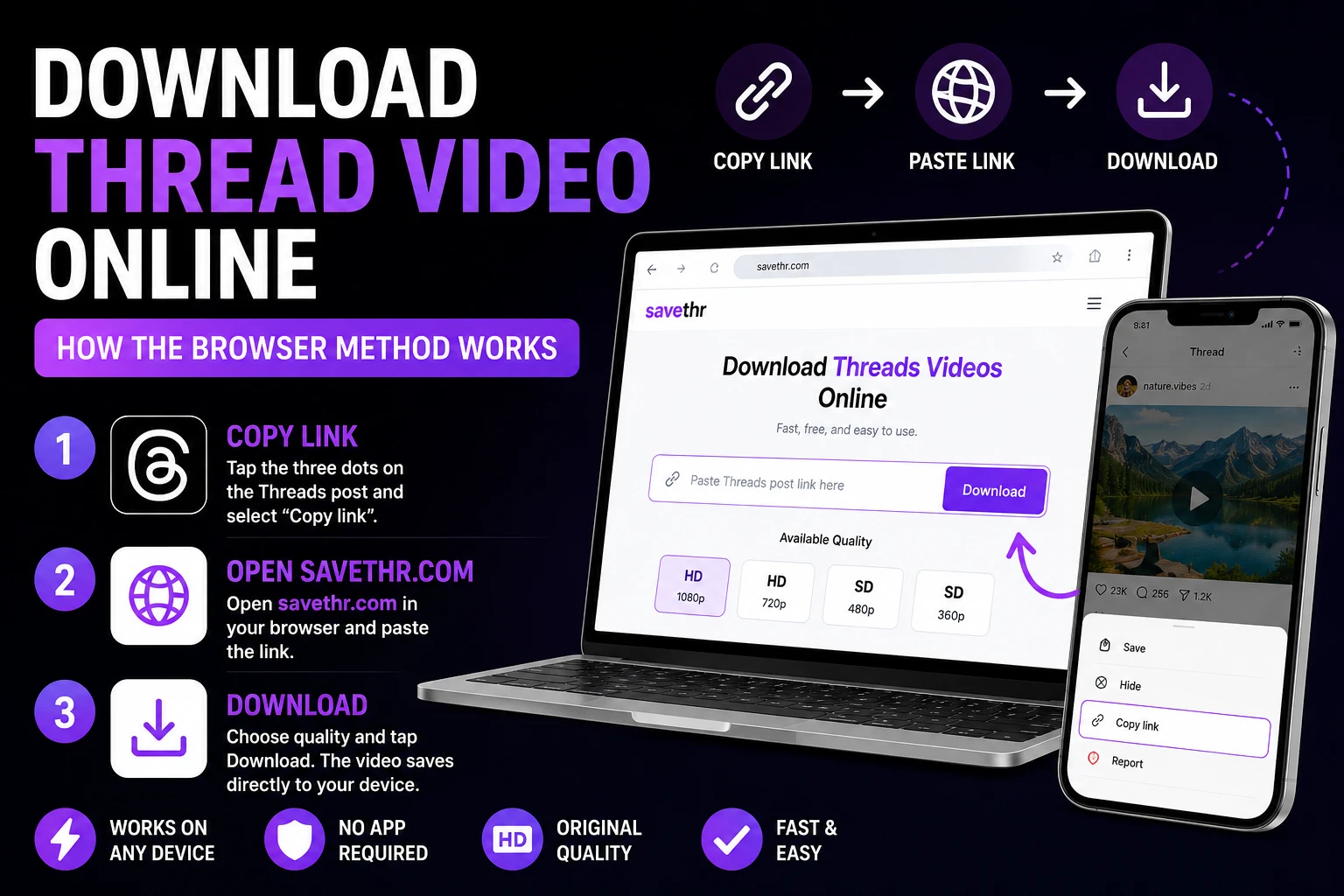
How to Do a Threads Video Download Online — 3 Steps
Step 1 — Copy the link from Threads
Open the post, tap the three-dot icon, and select Copy link. Works for all content types — videos, photos, GIFs, Reels, carousels, Stories.
Step 2 — Open savethr.com and paste the link
For a threads video download online with no account and no install, open savethr.com in your browser. Paste the link and tap Download.
Step 3 — Choose quality and save
Select your resolution and save. As an online threads video downloader, savethr.com works on Android (file goes to Downloads), iPhone (tap Save Video when prompted), and desktop (lands in your downloads folder). No account, no watermark.
Does It Work on Shared or Work Devices?
Yes — and this is one of the clearest advantages of the browser method. You can use a browser-based downloader on a work laptop, a borrowed device, a school computer, or any device with a browser. Nothing gets installed, nothing gets left behind when you close the tab. The next person to use the device has no trace of what you downloaded.
This would be impossible with an installed app — you’d need to install it, use it, and then uninstall it, which is considerably more friction.
Is It Safe?
For a browser-based tool that doesn’t require login or extensions: yes. A browser tab running a downloader has no more access to your device than any other website you visit. It can’t read your files, access your camera, or see your other tabs. It only processes the link you paste into it.
The main security consideration is which site you use. A site that asks for your Threads credentials should be avoided — no legitimate downloader needs them. A site that tries to install a browser extension is asking for more access than necessary. A tool that works in a plain browser tab with no login and no extension is the lowest-risk option.

