

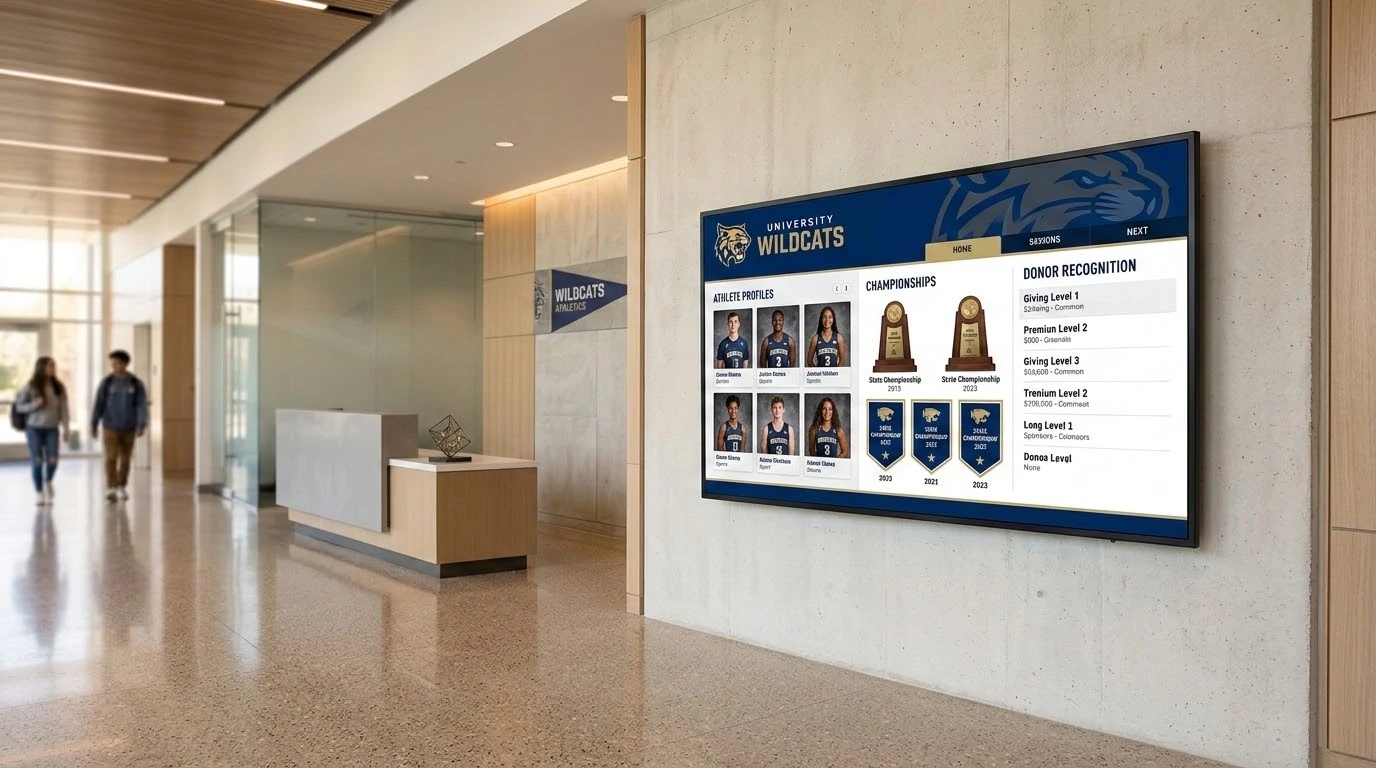
Every high school athletic department eventually hits a wall. You run out of physical space for brass plaques, state championship banners, and heavy acrylic awards. The main lobby gets cluttered. Recognizing new student-athletes or facility donors turns into a logistical headache. Moving to a digital display solves the space problem, but it introduces software management.
I see schools buy expensive commercial screens only to realize the software running them requires a full-time IT person to update. Three years later, the monitor was turned off because the one staff member who knew how to use the system took another job. You need a platform that handles the exact data structure of honorees, sports seasons, and donor tiers without breaking down when a new athletic director takes over. Here is a look at the most viable platforms available right now for high school environments.
1. Touchstone
If you want a system built specifically for school recognition rather than a generic signage tool, this is the baseline. Most vendors hand you a blank template and tell you to figure it out. Touchstone Digital Solutions takes a different route by handling the custom design and building the content management system around your specific athletic history and donor structures.
- They design the visual identity from the ground up to match your school branding.
- The backend is built specifically for non-technical staff so updating records is straightforward.
- They provide dedicated ongoing support instead of just handing over a software license.
You go with this approach when you want a fully managed project and a display that actually looks like it belongs to your facility. It prevents the common scenario where an administration buys software but lacks the internal design resources to make it look professional over the long haul.
2. Rise Vision
A lot of schools already use Rise Vision for cafeteria menus and hallway announcements. They offer an all-in-one cloud platform that includes templates for basic recognition boards.
- You can push updates instantly from any web-connected device.
- It integrates easily with existing screen networks you might already have running on campus.
- The templates are general-purpose and lack deep customization.
If you just need a functional board to display a rotating list of names and you are already in the Rise Vision ecosystem, this makes sense. It gets the names on a screen efficiently and leverages software your IT department already knows how to support. You will not get a highly interactive tribute for individual athletes, but it handles basic list management well.
3. Digital-Trophy-Case.com
This vendor bundles the hardware and software together. They sell interactive touchscreen kiosks, usually in the 43 to 65 inch range, loaded with their own searchable profile system.
- The purchase includes both the physical kiosk and the operating software.
- Profiles are stored in a cloud-managed directory that visitors can search.
- The interface focuses heavily on simple search rather than rich multimedia storytelling.
Buying a bundled kiosk simplifies the procurement process. You bypass sourcing a commercial screen separately or worrying about media player compatibility. It functions well as a straightforward digital directory. The format may feel somewhat limited if you want to feature long video biographies or a deeply branded interactive experience, but the physical installation is very straightforward.
4. Norvision
Norvision comes at this from the fundraising and development side. They specialize in donor recognition software designed to scale for both small projects and massive capital campaigns.
- The platform handles complex donor tiers and campaign tracking natively.
- It is built as a managed platform specifically for giving programs.
- It does not natively handle athletic statistics or general student profiles.
If your digital display is primarily a tool to recognize facility donors or boost alumni fundraising, Norvision is a strong candidate. They understand how to structure pledges versus realized gifts. If you need to combine that donor recognition with athletic records, you might find the platform too rigid for those secondary uses.
5. Intuiface
Intuiface is a heavy interactive signage platform used globally for everything from museum exhibits to corporate lobbies. It is an extremely capable tool if you have the technical resources to deploy it.
- It supports complex interactivity like external sensors and multi-touch navigation.
- You can blend video, high-resolution images, and live data feeds seamlessly.
- There is no built-in database structure for athletes or alumni profiles.
Schools usually need an outside integrator or a very capable internal IT team to build a digital trophy case on Intuiface. You are buying a professional-grade construction kit rather than a finished system. If you have the budget to hire an agency to build the interface, the results can be visually stunning. For a busy administrative team, the initial setup curve is steep.
6. Nevco
Nevco is a major player in athletic scoreboards and stadium branding. They also offer digital wall of fame displays in wall mount or floor stand enclosures.
- You can bundle the display with a larger stadium or gym branding project.
- They offer large formats that command attention in a busy lobby.
- The software interface is often secondary to the physical hardware installation.
If you are already writing a check to Nevco for a new football scoreboard, adding one of their lobby displays to the package is a logical step. The content management features will be basic compared to a dedicated software platform. The main advantage is dealing with a single vendor for your entire athletic facility upgrade.
7. PandaSuite
PandaSuite is a no code builder that gives you total creative control. It operates essentially as a blank canvas for building interactive applications and kiosk interfaces.
- You get complete flexibility to build whatever layout or navigation menu you want.
- Pricing is very accessible starting around 79 dollars a month per app.
- It requires your internal team to design the honoree logic and donor tiers themselves.
This works well if you have a staff member with a strong digital design background who wants to build the entire interface from scratch. Just keep in mind that the ongoing upkeep and design tweaks will fall entirely on your own people. If that key staff member leaves, you inherit a custom interface with no instruction manual.
Hardware and Software Strategy
Picking the right operating system matters more than the screen you buy. A commercial display from any major manufacturer will last for years, but difficult software will frustrate your staff on week one. Evaluate how much time your administrative team actually has to update records. If they are stretched thin, prioritize a system with a simple backend over a complex builder.
Whether you choose a no code tool to build it yourself or hire a dedicated partner to manage the entire process, make sure you understand the ongoing operational requirements. You want your athletic history accessible and your donors properly recognized, not locked behind a complicated login screen that nobody remembers how to use.

